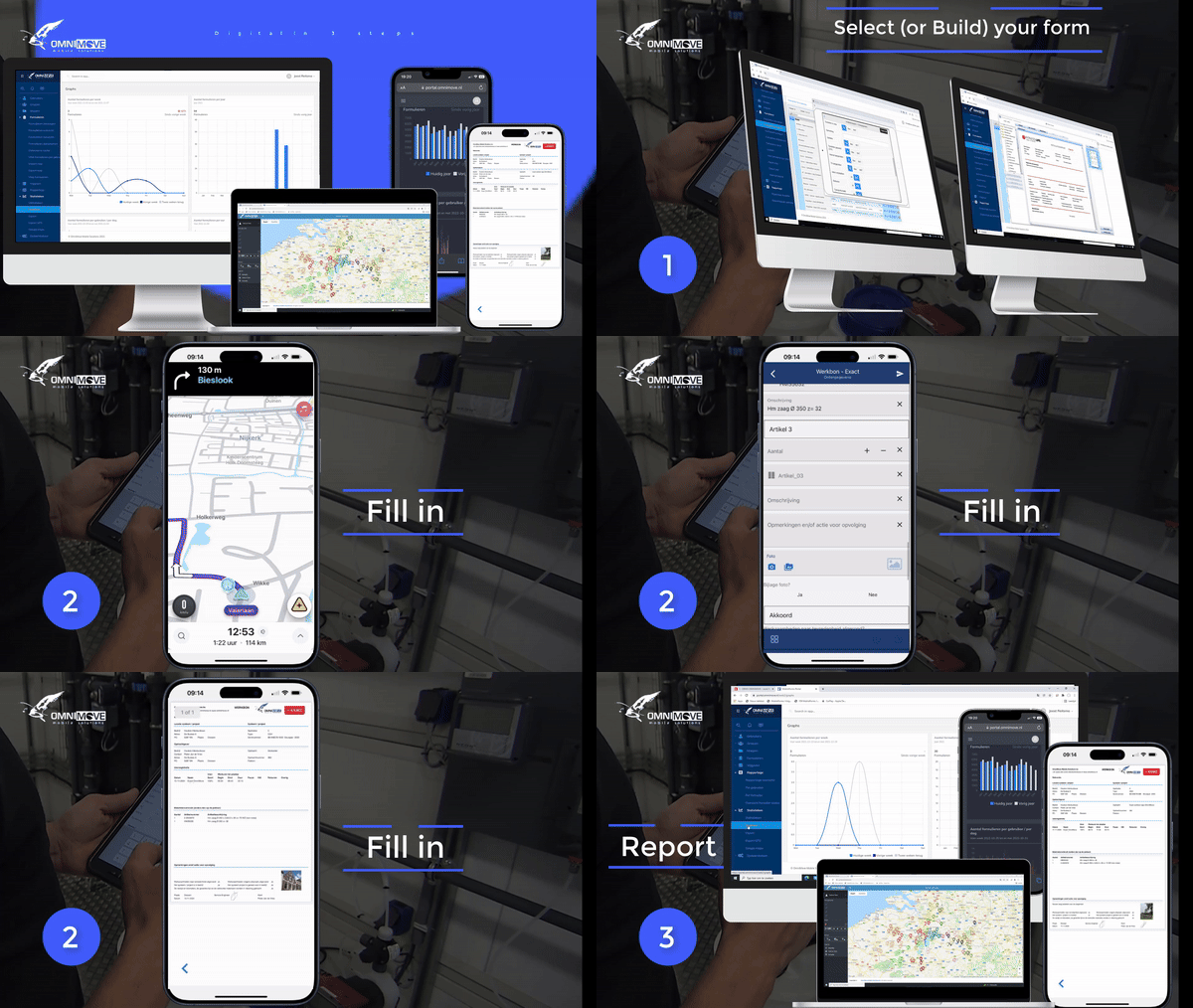
The 3-step plan of OmniMove MobileForms
How does it work?
With MobileForms, you can generate your own forms, which you can fill in straightaway during a meeting, visit, or inspection! The system offers you numerous possibilities, is extremely flexible, and cuts out the need for expensive customised modifications. You can generate every form easily yourself.
You can have mobile and digital forms in just 3 easy steps:
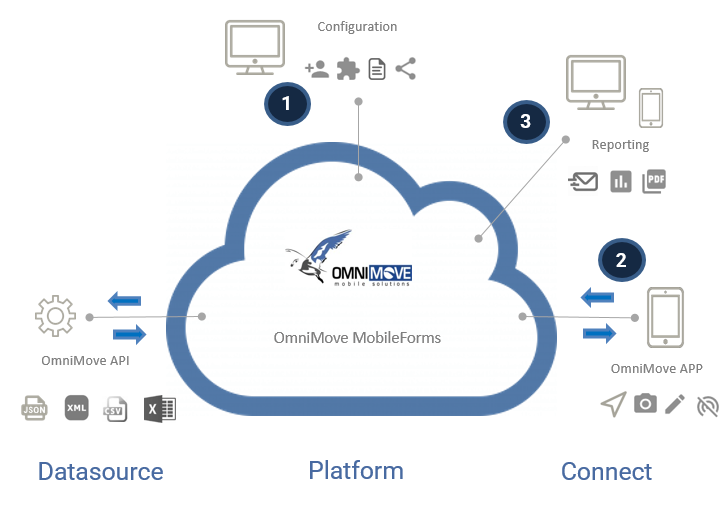
Step 1 Configure
You send OmniMove a work order or inspection form that you want to create digitally. We then determine which of our many standard templates best suits your needs. We customize this template specifically to your needs: only the fields that are important to you, in the correct order. This ensures a user-friendly solution for your employees.
During an instructional session, we'll show you how the template is structured. You can then choose to make (minor) adjustments yourself, create new applications, or leave it to OmniMove.
If you want to make adjustments yourself, all you need is an internet connection to use MobileForms. You log in via a web portal and can get started right away. You configure your template yourself with the form builder – including selection tables, photos, signatures, email, RFID, barcodes – with or without integration with other software.
You can use many features. Read more about our features here >>
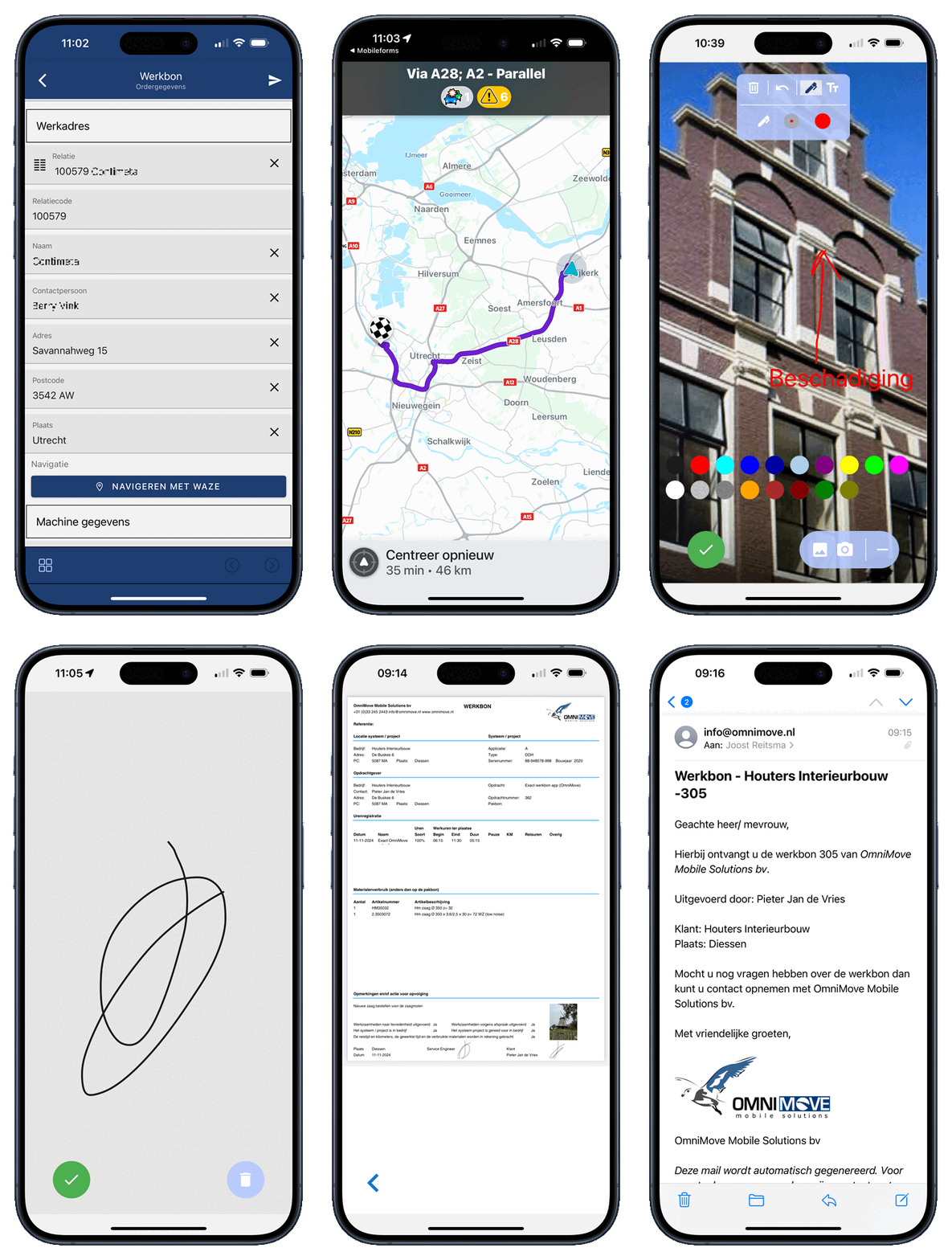
Step 2 Fill in your form
With your mobile device, you can complete the forms you have generated navigate to your destination, make photos, mail the form everything is possible.
You can fill in the form online and offline! Which means you can work with them any time you want, even without an internet connection!
Step 3 Reporting
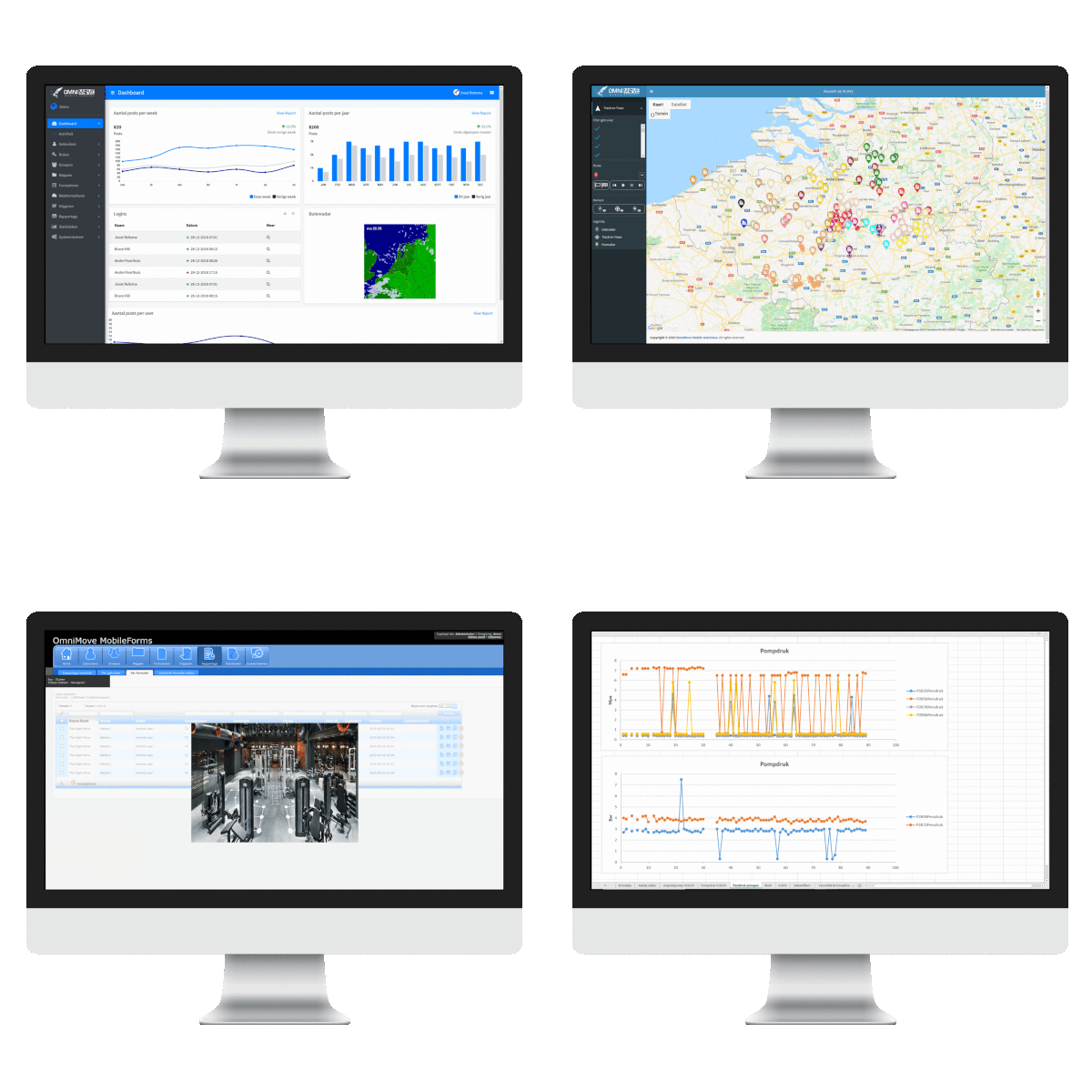
Once the form has been completed, a report is registered immediately in PDF and e-mail. It is even possible to send photos taken onsite together with the form. You can also view the reports instantly at the web portal or Excel. In addition, you can easily link the data entered to your own system using SFTP or Webservices.